
.png)
Description
Download AI Sound Effect Generator – AI‑powered audio creation tool, free & secure
Overview
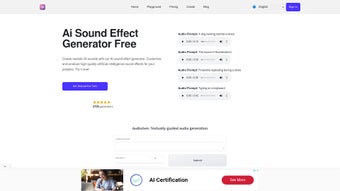
AI Sound Effect Generator is a cloud‑based web application that harnesses deep‑learning models to produce high‑quality sound effects on demand. Unlike traditional libraries that require you to sift through thousands of pre‑recorded files, this tool lets you type a brief description—such as “rain on a tin roof at night” or “mechanical whir of a futuristic drone”—and instantly receive a royalty‑free audio clip ready for integration into video, game, or podcast projects. The platform is built on a convolutional neural network trained with millions of annotated audio samples, which gives it the ability to mimic natural ambience, mechanical noises, animal calls, and even abstract synthetic textures. Its adaptive architecture continuously refines output based on user feedback, ensuring that each generated effect feels authentic while still offering the flexibility to tweak pitch, duration, and reverberation. Designed for sound designers, composers, and audio engineers, the AI Sound Effect Generator reduces the time spent searching for the perfect cue from hours to seconds, allowing creators to focus on storytelling rather than asset hunting. While the current model supports a wide range of categories, it does have some limits in ultra‑specific niche sounds, and occasional over‑fitting can cause repetitive tonal patterns. Nevertheless, the intuitive interface, instant preview, and downloadable WAV/MP3 formats make it a valuable addition to any audio workflow, especially for those who need royalty‑free content without the legal hassle. The service also complies with GDPR and other privacy regulations, storing only minimal user data and providing an easy way to delete your account and generated files at any time.
Core Features and How It Works
- AI‑driven generation of ambient, mechanical, animal, and synthetic sound effects.
- Instant preview with real‑time waveform visualization.
- Customizable parameters: pitch, length, volume envelope, and reverb.
- One‑click download in WAV or MP3, royalty‑free for commercial use.
- Batch generation for series of related cues (e.g., footsteps on different surfaces).
- Smart library suggestions based on recent projects and user history.
- Secure cloud processing – no local installation required.
- Frequent model updates that incorporate new sound categories.
- Export presets that save exact parameter settings for repeatable results.
- Enterprise Docker image for on‑premise, offline deployments.
The generation engine works by translating natural‑language prompts into a latent audio representation. When you enter a description, the system tokenizes the text, matches it against a learned sound taxonomy, and then synthesizes the waveform using a generative adversarial network (GAN). Because the model was trained on a diverse dataset, it can blend multiple source characteristics—for example, “distant thunder over a forest canopy” will automatically mix low‑frequency rumble with high‑frequency leaf rustle. After synthesis, the platform runs a short post‑processing stage that removes artifacts, normalizes loudness to -23 LUFS (broadcast standard), and adds optional mastering effects. The result is a clean, ready‑to‑use file that can be dropped directly into a DAW or video editor. Users also have the option to save custom presets, which store the exact parameter values for repeatable results across projects. The UI follows a minimalistic design: a text box for the prompt, sliders for each adjustable attribute, and a large “Generate” button that triggers the cloud‑side processing. Once the audio is ready, a play button appears, allowing you to audition the clip before downloading. This workflow eliminates the need for third‑party plugins or bulky sample libraries, making AI Sound Effect Generator a lightweight yet powerful addition to any creative toolkit. Advanced users can also access an API endpoint for batch scripting, enabling automated generation pipelines in large‑scale productions.
Installation, Compatibility & Usage Guide
Because AI Sound Effect Generator is a web‑based service, there is no traditional installation process. All you need is a modern browser (Chrome, Firefox, Edge, or Safari) and an active internet connection. The platform is fully responsive, meaning you can access it from desktop computers, laptops, tablets, or smartphones. For users who prefer a desktop shortcut, simply bookmark the site and drag the icon to your desktop for one‑click access. The service also supports progressive web‑app (PWA) installation, allowing you to “install” it on Windows, macOS, Android, or iOS and launch it from your start menu or home screen without opening a browser tab.
Step‑by‑Step Usage
- Create an account: Sign up with an email address or use a Google/Apple ID. The free tier provides 10 generations per month, while paid plans unlock unlimited access, priority queuing, and higher‑resolution exports.
- Enter your prompt: Type a concise description of the desired sound. Use adjectives to guide timbre (e.g., “soft”, “metallic”, “harsh”) and consider adding context such as environment or distance.
- Adjust parameters: Move the sliders for pitch, length, volume envelope, and reverb. The interface shows a live preview of the changes, and a numeric display lets you fine‑tune values.
- Generate: Click the “Generate” button. The cloud server processes the request, typically returning a result in 5‑15 seconds depending on server load and complexity of the prompt.
- Preview & edit: Use the play button to listen. If needed, tweak the parameters and regenerate. You can also compare multiple versions side‑by‑side using the “History” panel.
- Download: Choose WAV for lossless quality or MP3 for smaller file size. The download is instant, and the file is automatically saved to your device’s default folder. A checksum is provided for verification.
- Save to library: Click “Add to My Library” to store the clip in your personal cloud collection. Tags and notes can be added for future retrieval.
Supported Operating Systems: Windows 10/11, macOS 10.15+, Linux (any distribution with a recent Chromium‑based browser), Android 8.0+, iOS 13+. Because the service runs entirely in the browser, there are no OS‑specific binaries to install, and the same project files can be accessed from any device that logs into your account.
For professional environments that require offline capability, the developers offer an enterprise‑grade Docker image that can be deployed on local servers. This version mirrors the cloud functionality but runs behind your firewall, ensuring data privacy for sensitive productions. The Docker setup requires basic knowledge of containerization, but the provider supplies a step‑by‑step guide and pre‑configured compose files. Additionally, a lightweight CLI tool is available for macOS and Linux, enabling power users to generate sounds directly from terminal scripts, which is handy for batch rendering in game pipelines.
Pros, Cons, FAQ & Final Verdict
Pros
- Instant, on‑demand generation saves hours of searching through sample libraries.
- Royalty‑free output eliminates legal concerns for commercial projects.
- Cross‑platform accessibility via any modern browser and optional PWA install.
- Customizable parameters give fine‑grained control over the sound.
- Regular AI model updates expand the range of available effects.
- Batch generation and API access streamline large‑scale workflows.
- Enterprise Docker image provides offline, on‑premise security.
Cons
- Limited to the categories the model has been trained on; ultra‑specific niche sounds may require manual editing.
- Free tier restricts the number of monthly generations.
- Dependence on internet connectivity for cloud processing.
- Occasional over‑fitting can produce repetitive tonal artifacts.
- Advanced features such as API usage are only available on paid plans.
Frequently Asked Questions
Is the generated audio truly royalty‑free?
Yes. All sounds produced by AI Sound Effect Generator are licensed for unlimited commercial use, so you can incorporate them into films, games, podcasts, or advertising without paying additional fees.
Can I use the tool offline?
The standard web version requires an internet connection, but the company offers an on‑premise Docker deployment for enterprises that need offline capability.
What audio formats are available for download?
You can download the generated clip as a lossless WAV file (44.1 kHz, 16‑bit) or a compressed MP3 at 192 kbps. Both formats are royalty‑free.
How does the pricing model work?
A free tier provides 10 generations per month. Paid plans start at $9.99 USD per month for unlimited access, priority processing, and higher‑resolution audio exports.
Is there any way to improve the quality of generated sounds?
Yes. Adjusting the pitch, length, and reverb sliders after the initial generation often yields more polished results. You can also export the WAV file and run it through your own mastering chain for final polish.
Can I integrate the generator into my existing pipeline?
Absolutely. The service provides a RESTful API and a lightweight CLI tool that allow you to call the generation engine from scripts, build systems, or game engines, making it easy to automate bulk sound creation.
Conclusion & Call to Action
AI Sound Effect Generator delivers a compelling blend of speed, convenience, and creative flexibility that makes it stand out in the crowded field of audio‑creation tools. While it isn’t a complete replacement for a fully stocked field recording library, its ability to generate royalty‑free, high‑quality effects on the fly provides a decisive productivity boost for anyone working under tight deadlines. The web‑based delivery model ensures you can tap into the service from any device, and the optional on‑premise Docker solution satisfies the security needs of larger studios. For freelancers, indie game developers, and content creators looking for a cost‑effective way to source custom sound effects, the free tier offers enough mileage to test the concept, and the affordable premium plan scales nicely as your needs grow.
Ready to streamline your audio workflow? Download AI Sound Effect Generator now and start creating professional soundscapes in seconds—free, secure, and instantly accessible from any browser.
Guides & Tutorials for AI Sound Effect Generator
How to install AI Sound Effect Generator
- Click the Preview / Download button above.
- Once redirected, accept the terms and click Install.
- Wait for the AI Sound Effect Generator download to finish on your device.
How to use AI Sound Effect Generator
This software is primarily used for its core features described above. Open the app after installation to explore its capabilities.
User Reviews for AI Sound Effect Generator 0
No reviews found




